How to Create a New Account on Kascards?
To start buying cards and using your cryptocurrency balance, you must first register an account on the Kascards platform. The process is easy and takes less than a minute.
Follow these simple steps to create your account and start buying gift cards immediately.
-
Visit the official website: Open your browser and go to the official Kascards platform website.
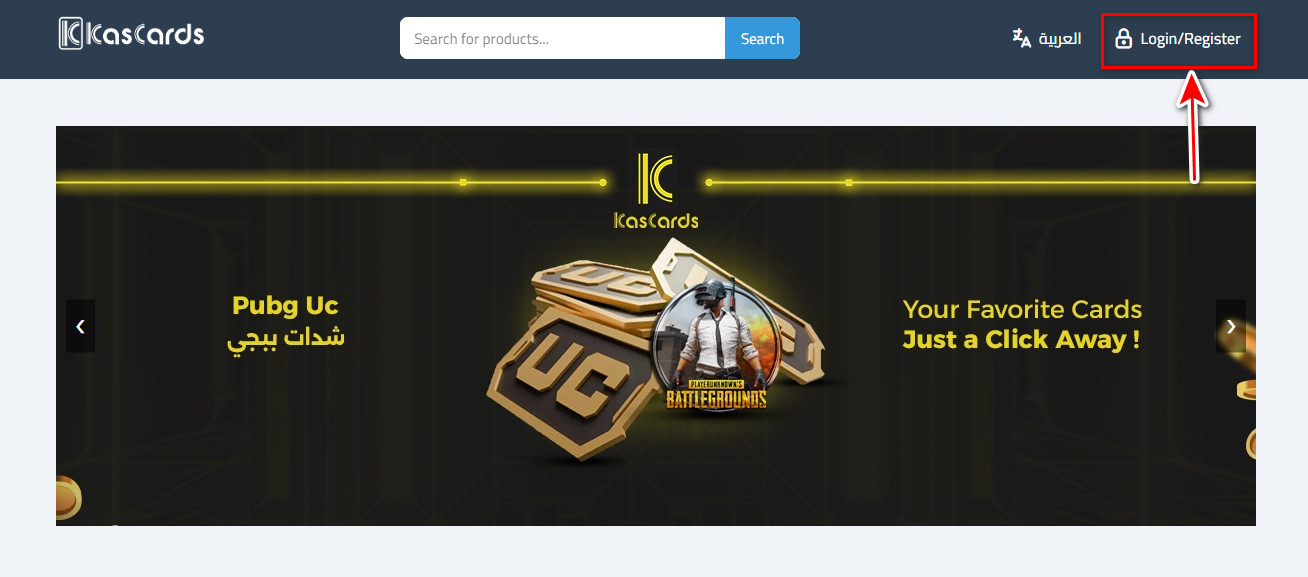
Click on “Create Account”: In the top-right corner of the homepage, you’ll find a button labeled “Register.” Click on it.
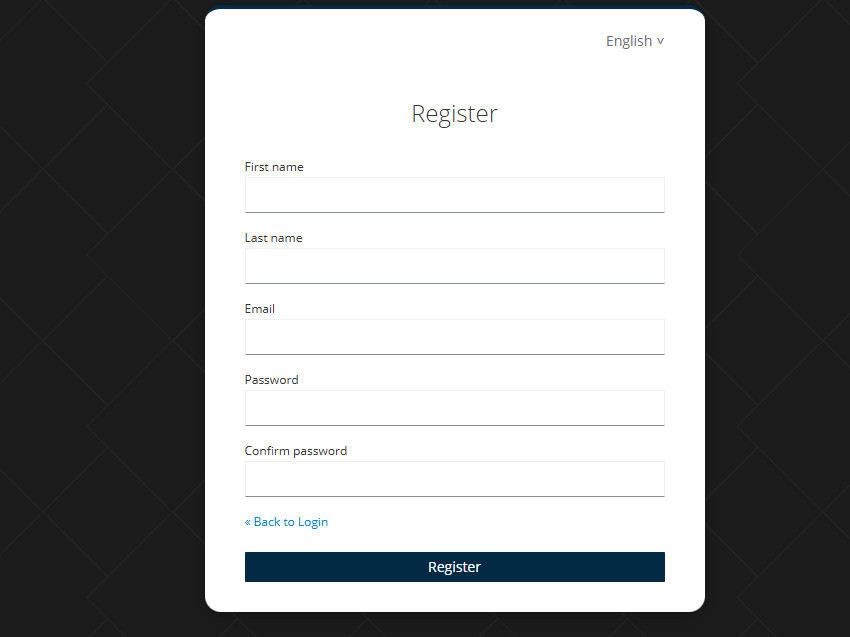
Enter basic information: Fill in the required details, which typically include:
-
First Name
-
Last Name
-
Email address: Make sure to use a valid and active email, as you’ll receive an account activation link there.
-
Password
-
Confirm password
Click Register
-
-
Activate your account: Go to your email inbox and look for a message from Kascards containing the activation link. Click on the link to activate your account.
-
Log in: Once your account is activated, you can log in using the email and password you selected.
Now that your account is set up, you can browse the different categories, choose the card you want, and complete your purchase easily.
Related Articles
How to Top Up Your Kascards Balance
To purchase cards, you first need to top up your Kascards account balance. We support crypto payments (USDT) via multiple networks to save you transaction fees. Open the official Kascards website and log in using your email and password if you ...How to Buy E-Gift Cards from Kascards
The purchasing process at Kascards is designed to be fast and smooth. Once your balance is topped up, you can get your favorite card within seconds. Visit the official website: Start by opening your web browser and navigating to the official Kascards ...How to Track Your Orders on Kascards?
Once your purchase is confirmed, you will be automatically redirected to your Orders Page, where you can track the status of your order. Follow the steps below to access your purchase history, check order status, and retrieve your card code: Order ...What Payment Methods are Available on Kascards
Kascards primarily relies on Stablecoins to provide a global, fast, and secure payment method for all users without the need for bank cards. Primary Supported Currency: We exclusively accept payments in USDT (Tether), a stablecoin pegged to the value ...